


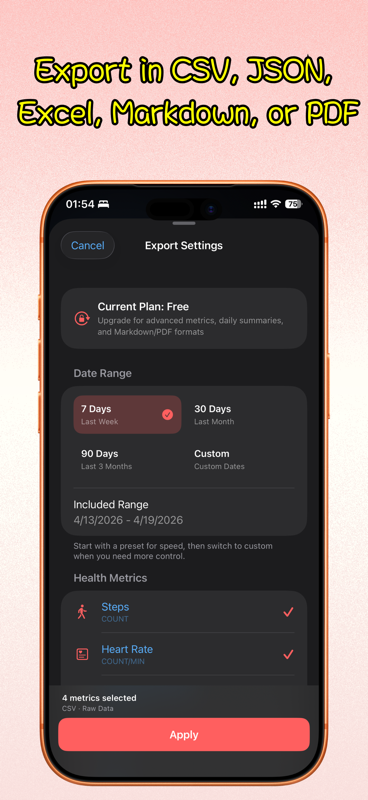


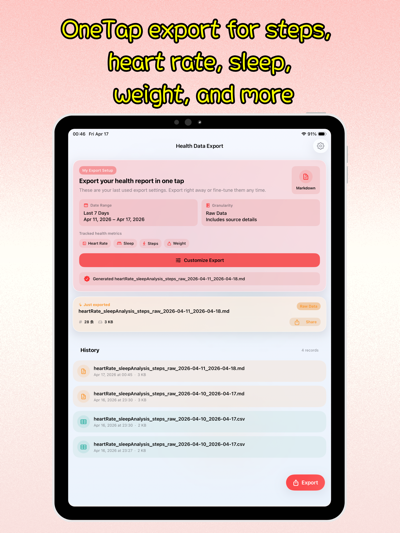
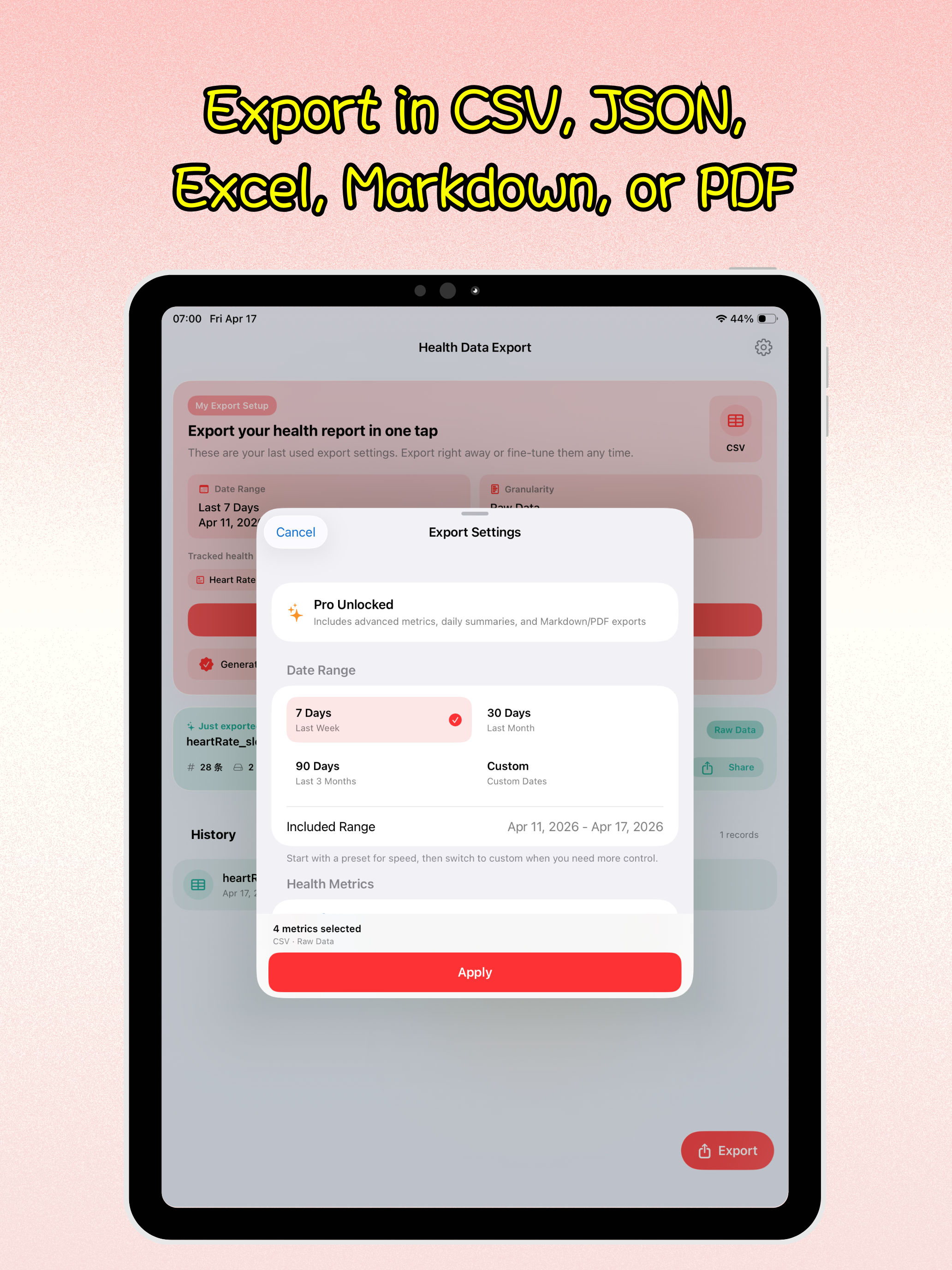
Export the last 7, 30, or 90 days, or choose your own custom date range
Back to apps


- iPhone
- iPad
Health Data Export
Export selected Apple Health metrics to CSV, Excel, PDF, JSON, or Markdown. Choose your dates and keep file generation on your device.
First published · 2026-04-15
Last updated · 2026-05-14
Features
Save data as CSV, JSON, Markdown, Excel (.xlsx), or PDF
Cover 12 Apple Health metrics including steps, heart rate, sleep, weight, calories, distance, blood pressure, HRV, blood oxygen, and respiratory rate
Switch between raw records and daily summaries depending on how you want to review or share data
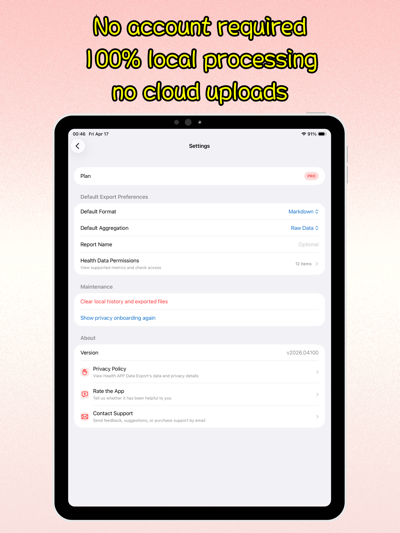
No account required, and all reading, aggregation, and file generation stay on-device
Overview
What is Health Data Export?
Health Data Export is an Apple Health export app for iPhone and iPad. It reads the metrics you choose through HealthKit, lets you set a date range, and writes files on your device as CSV, JSON, Markdown, Excel (.xlsx), or PDF—without creating an account or uploading your health records to a server.
Use it when you need a doctor-ready report, a spreadsheet for personal tracking, or a structured dump for notes and automation.
Who it is for
- People who want to export Apple Health to CSV or Excel for analysis in Numbers or Google Sheets
- Anyone preparing a PDF health summary for a clinician or family member
- Users who need sleep, heart rate, steps, weight, blood pressure, blood oxygen, and related metrics in one place
- Privacy-minded users who prefer local-first export with no cloud account
How to export Apple Health data
- Open Health Data Export and grant HealthKit read access for the metrics you need (requested when you export).
- Pick a range: last 7 / 30 / 90 days, or a custom date range (longer ranges available with Pro).
- Select metrics such as steps, heart rate, resting heart rate, sleep, weight, active energy, distance, blood pressure, HRV, blood oxygen, and respiratory rate.
- Choose raw records for timestamp-level detail, or daily aggregation for compact day-by-day summaries.
- Export as CSV, JSON, Markdown, Excel, or PDF, then share or save the file with the iOS share sheet.
Export formats at a glance
| Format | Best for |
|---|---|
| CSV / Excel | Spreadsheets, charts, personal analysis |
| JSON | Developers, scripts, automation |
| Markdown | Notes apps and knowledge bases |
| Sharing with doctors or archiving a report |
Free vs Pro
The free tier is aimed at quick exports of recent core metrics. Pro unlocks longer and custom date ranges, daily aggregation, PDF reports, and advanced metrics such as HRV, blood oxygen, respiratory rate, and blood pressure.
Privacy: on-device by design
Health Data Export does not require an account and does not upload your HealthKit samples to iPocket servers. Reading, aggregation, and file generation stay on your iPhone or iPad. You control which metrics are read and where the exported file is saved or shared.
Apple’s full export or a selected report?
Apple Health’s built-in Export All Health Data creates an XML export. That is useful when you want a broad archive, but a spreadsheet workflow still needs a conversion step. Health Data Export lets you select supported metrics and dates before generating CSV or Excel directly. It is a focused export tool, not a backup of every type of Health data.
Try a small export first
Choose steps and a short date range, export to CSV, and open it in Numbers or Excel. Check that dates, values, and units are readable before expanding the range. For a daily overview, choose daily aggregation where available; for individual observations, keep raw records. Pro includes longer and custom ranges, daily aggregation, PDF reports, and advanced metrics.
An empty result can mean the selected period has no records or the app lacks read access for that metric. Check the same dates in Apple Health and review the app’s Health permissions, then try again.
Follow the Apple Health export walkthrough and format guide for a comparison, an illustrative CSV example, and checks before sharing.
FAQ
What health metrics can Health Data Export export?
The app currently supports 12 Apple Health data types: steps, heart rate, resting heart rate, sleep, weight, active energy, walking and running distance, systolic blood pressure, diastolic blood pressure, HRV, blood oxygen, and respiratory rate. It requests the matching HealthKit permissions only when you export.
Which export formats are supported?
Health Data Export supports CSV, JSON, Markdown, Excel (.xlsx), and PDF. CSV, JSON, and Excel work well for analysis or automation, Markdown is useful for notes and knowledge bases, and PDF is ideal for sharing with doctors or family members.
What is the difference between raw data and daily aggregation?
Raw export keeps individual timestamps whenever possible, which is better for deeper analysis. Daily aggregation turns the same data into compact day-by-day summaries that are easier to review and present.
Does the app upload my health data anywhere?
No. Health Data Export is local-first, requires no account, and does not upload your health records to any server. Reading, aggregation, export, and report generation all happen on your device.
What is included in the free version and Pro?
The free version is designed for quick exports of recent core metrics. Pro unlocks longer and custom date ranges, daily aggregation, PDF report generation, and advanced metrics such as HRV, blood oxygen, respiratory rate, and blood pressure.
Where can I use the exported files afterward?
CSV and Excel files can be opened in Numbers, Excel, and spreadsheet tools. JSON fits developer workflows and automation. Markdown works well in note-taking apps, and PDF is ready for direct sharing or archival.
PRACTICAL GUIDES
Go deeper on this workflow
MORE FROM IPOCKET
Related apps
-
 iPocket CaliPhoneiPad
iPocket Cal is an AI-powered calorie tracking assistant that simplifies nutrition logging. Identify food from photos or text, generate personalized meal plans, and track your dietary goals with ease.
View app -
 ClawRSS: OpenClaw RSS Feed ReaderiPhoneiPad
ClawRSS is a modern RSS feed reader for iPhone and iPad with a smarter Today feed, AI summaries, built-in translation, bookmarks, Apple Push alerts, and optional OpenClaw workflows.
View app -
 Weather IsletiPhoneiPad
Watch the weather come to life on a 3D island.
View app